
Home / All features / Integrations
Integrations: the club keeps its own systems
A club does not have to leave its booking and accounting system. Trassir CCTV cameras show on the video wall. Connecting takes the club's key in the admin panel.
What it is and why
A smart court should not break the club's habits.
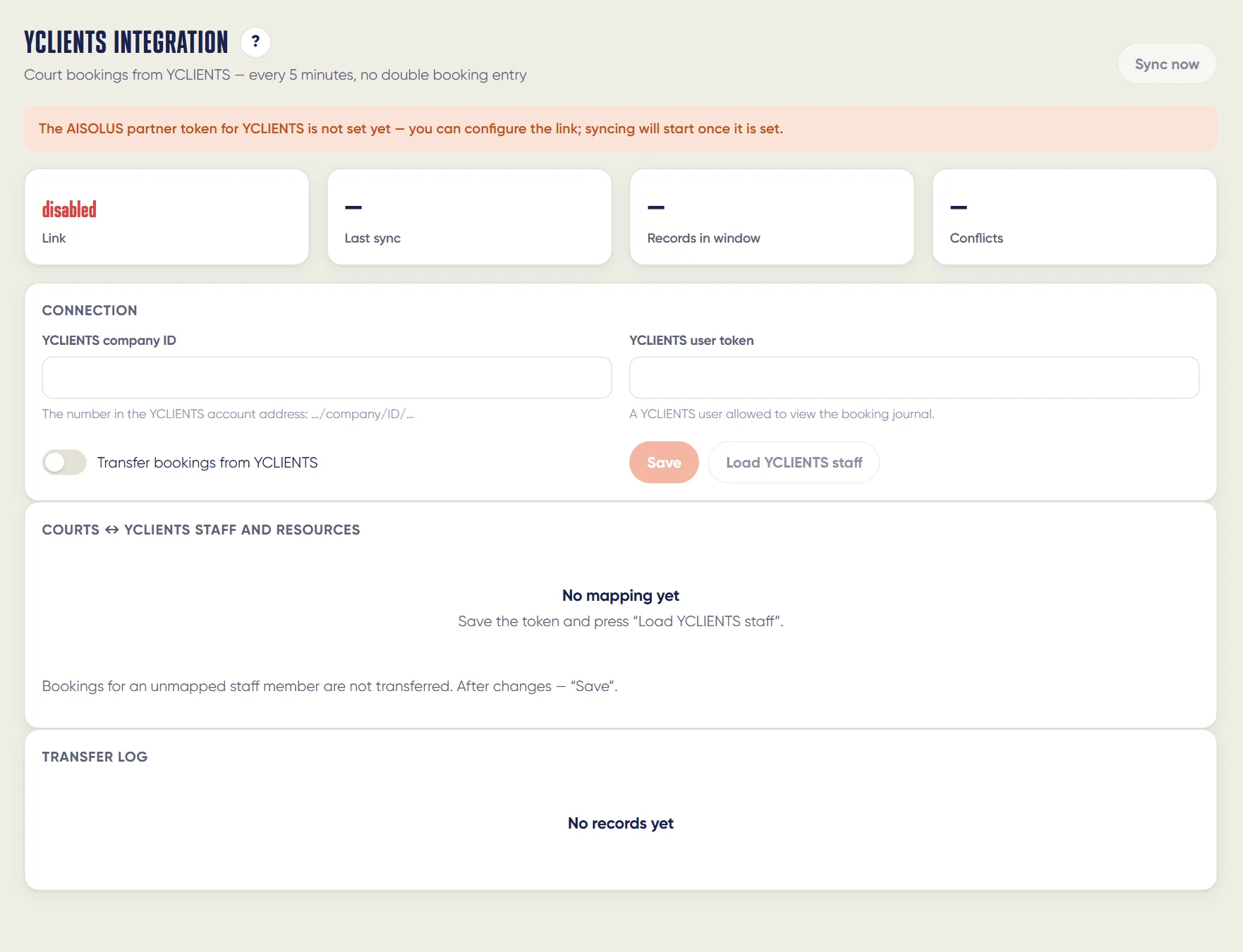
All integrations live in the admin panel's Integrations section: the status of each, a Set up button and a log of who turned what on and when. There is an open API for the club's own systems.
What it does
Integrations
- Playtomic and MATCHi: club bookings take the court slot in AI Padel too
- Other booking and accounting systems through the open API
- The club's video surveillance cameras on the video wall, over the club network only
- An open read and write API for the club's own systems
An access key from the club's system; video surveillance needs the club network.
How it works
How it works
- Club key
The club gets an access key in its booking or accounting system.
- Connect
Pastes it into Integrations in the admin panel and maps the courts.
- Sync
Bookings arrive by themselves; an external booking takes the slot, so it is unavailable in the app.
- Trassir
The club's CCTV cameras on the video wall — only in the club network, view-only.
- Log
Integration status and errors, and who enabled what — in Integrations.
What you will see
What you will see
Club in the admin panel
Integrations: Playtomic, YCLIENTS, MATCHi, till, calls — status and setup; log.
Front desk
External bookings on the grid next to our own.
Owner
Trassir cameras on the video wall.
In detail
Integrations
Playtomic
Club bookings from Playtomic come to us and take the court; the match, video and review attach to the booking. Connecting takes the club's key in the admin panel and matching the courts.
MATCHi
Venue bookings from MATCHi come to us the same way as from Playtomic. Connecting takes the club's key in the admin panel.
Other booking and accounting systems
Through the open API the club's own booking or accounting system exchanges bookings with AI Padel.
Club video surveillance
The club's video surveillance cameras appear on the video wall as extra overview cameras — over the club network only, view only.
Limits, honestly
Limits, honestly
- Without a key from the club's system the integration waits and sends nothing.
- Sync runs at intervals (YCLIENTS every few minutes), not instantly.
Who it helps
Who it helps
Clubs with an accounting system
Stay in your system and get a smart court.
Club chains
Different systems in different clubs — one picture in AI Padel.
Developers
An open API for your own systems.
API
API
The same data in your systems through the open API.
Questions and answers
Questions and answers
What if the club books through Playtomic?
It keeps doing so: a Playtomic booking takes the court in AI Padel, and the match and video are linked to it.
Can a booking be sold twice?
No: an external booking takes the slot, so it is unavailable in the app.
Who provides the key?
The club, in its own system. Without a key the integration waits and sends nothing.
How often do bookings sync?
YCLIENTS every few minutes.
What does Trassir give?
The club's CCTV cameras on the video wall — view-only in the club network.
Where are integration errors shown?
In the admin panel's Integrations section, in the log.
Is there an API?
Yes, an open read-write API — docs.aipadel.ru.
More features
Court booking and club CRM
Players see free time on the club's courts and book in the app in a minute — with the price, court choice and…
Club admin and court card
Everything about the club in one window: bookings and regular clients, what is happening on each court right…
Court video
Court cameras do more than record. The stream switches shots by itself from the players' positions, the…
Want this court in your club?
We'll show it live and size it for your club.