
Home / All features / Club operations
Club operations: bookings, shifts, memberships and court load
The club's day-to-day in one admin panel: recurring bookings and a waitlist, memberships with freezes, staff shifts and timesheets, lockers and equipment rental. The idle report shows which hours stand empty, and a free court's terminal shows the club's screensaver.
What it is and why
Besides play, a club has plenty of routine: regulars at the same time every week, memberships, front-desk shifts, lockers, racket rental. All of it runs in the same AI Padel admin panel as bookings — no separate spreadsheets.
The idle report shows, slot by slot, where courts stand empty, and the waitlist offers freed time to those who wanted it.
What it does
Club operations
- Recurring bookings and a waiting list for taken slots
- Memberships: freezing, remaining sessions, expiry reminders
- Staff shifts and timesheets, lockers and equipment rental
- Idle court report, a club network and the terminal idle screen
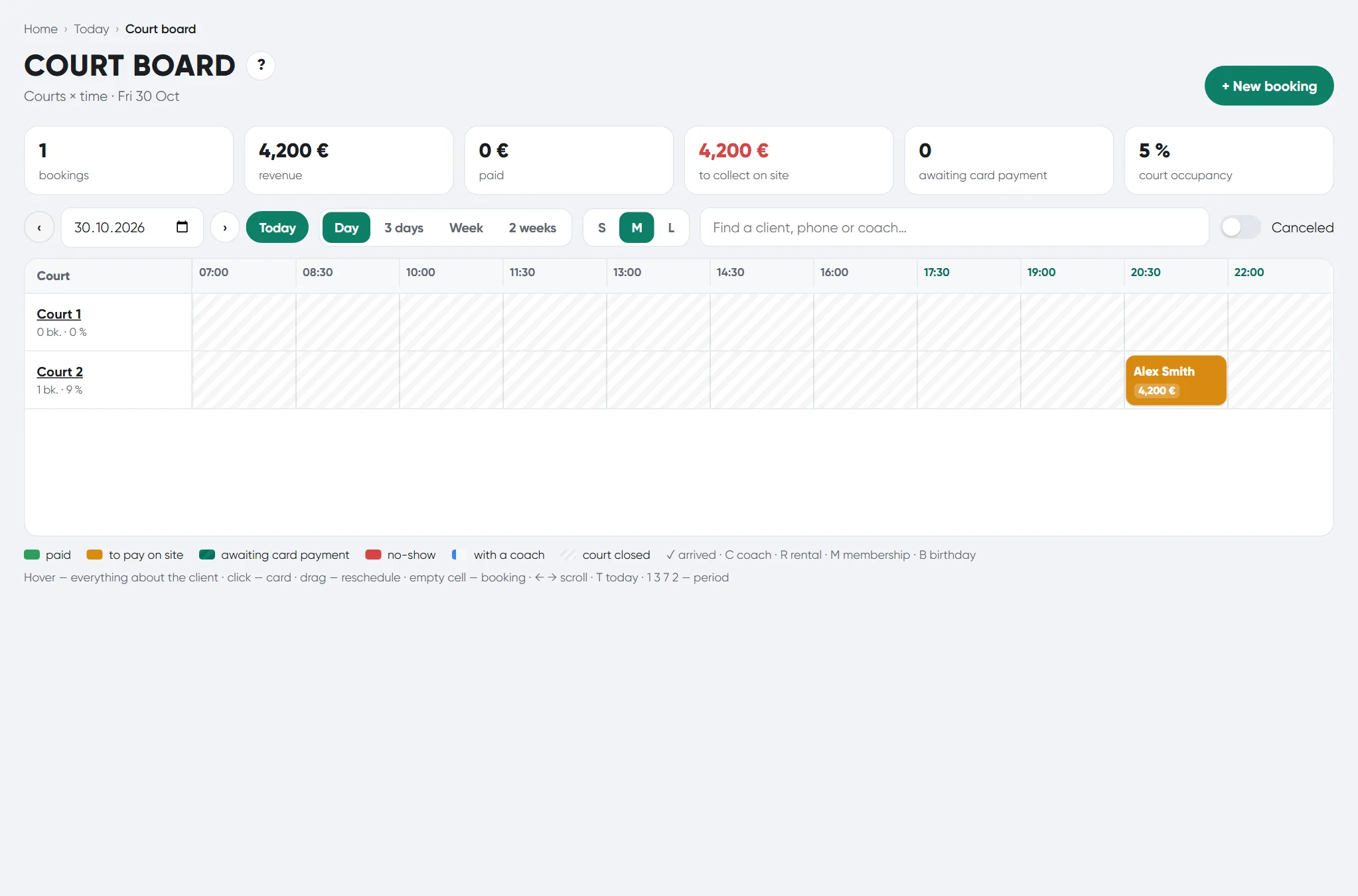
The AI Padel club admin panel; the idle screen needs a smart court terminal.
How it works
How it works
- Recurring bookings
A booking on the same day and time for several weeks — in one action, with overlap checks.
- Waitlist
A player queues for a taken slot; when it frees up — a “Court available” notification.
- Memberships
Freeze for the tariff's period, remaining sessions, expiry reminder.
- Shifts
Shift schedule, check-in and check-out, timesheet: hours, lateness, absences.
- Lockers and rental
Locker register with issue per visit or term; equipment rental by QR.
- Idle time
For each slot — booked, closed or idle; the emptiest windows.
What you will see
What you will see
Admin in the panel
Shifts and timesheet, Lockers, Equipment rental, Memberships, Slot waitlist.
Owner
Court idle time, Club network, Storage.
Players by the court
The club screensaver on a free court's terminal; when play starts — the match scoreboard.
In detail
Club operations
Recurring bookings
A booking for the same weekday and time several weeks ahead — in one step, with an overlap check.
Waiting list
A player queues for a taken slot; if the booking is cancelled, they get a “court available” notification.
Memberships and subscriptions
Memberships with freezing, remaining sessions and an expiry reminder.
Staff shifts
A shift schedule weeks ahead, “arrived” and “left” marks and a timesheet: hours, late arrivals, absences.
Lockers and rental
A locker register with issue per visit or for a period, and equipment rental by QR.
Idle courts
For every slot: booked, closed or idle; load by court and day and the emptiest windows.
Club network and platform
Several clubs in one system: a network summary and modules switched on per club.
Idle screen and scoreboard
When the court is free, the terminal shows the club idle screen; when a game starts — the match scoreboard.
Video storage: terms and cloud
The full match recording is kept for 30 days; highlights, extra angles and vertical clips for 90 days. A week before deletion players get a “download it” reminder. By agreement with the club, video is not deleted but moved to cloud storage, and players open it with the same link.
Admin panel on an Android tablet
A separate admin app for a front-desk tablet: the same club admin panel, made for touch.
Limits, honestly
Limits, honestly
- The idle screensaver runs on a smart-court terminal.
- The match recording is kept 30 days, highlights 90; longer — by agreement, in cloud storage.
Who it helps
Who it helps
Front desk
Club routine without spreadsheets and paper logs.
Owner
See court idle time and shift discipline.
Players
A regular slot and a chance to take a freed court.
API
API
The same data in your systems through the open API.
GET /v1/admin/reports/idle # idle court time report
GET /v1/admin/network # the club network
Questions and answers
Questions and answers
How does the waitlist work?
A player queues for a taken slot; if the booking is removed, a notification arrives.
Can a membership be frozen?
Yes, for the tariff's period; unused days are returned.
What does the terminal show on a free court?
The club screensaver; when play starts — the match scoreboard.
Can we make recurring bookings?
Yes, several weeks ahead in one action.
Is there a staff timesheet?
Yes: hours, lateness, absences.
How is rental issued?
By QR, with an issue register.
How long is video kept?
Match recording 30 days, highlights 90; by agreement — in cloud storage.
Is there a tablet admin?
Yes, an Android tablet app for the front desk.
More features
Club admin and court card
Everything about the club in one window: bookings and regular clients, what is happening on each court right…
Court booking and club CRM
Players see free time on the club's courts and book in the app in a minute — with the price, court choice and…
Club CRM
The club sees where players come from, who stopped coming and whom to call. Leads on a stage board, tasks for…
Want this court in your club?
We'll show it live and size it for your club.