
Home / All features / Coaching
Coaching: coaches, programmes, groups and in-game tips
Everything about training in one app: find a club coach and book together with a court, get an exercise programme, join a group, take a child to a junior section and hear short tips in an earpiece during play — based on what the court cameras measured.
What it is and why
After courts, coaches are a club's main product, yet booking them usually happens in chats and the training plan lives in a notebook. In AI Padel club coaches with descriptions and schedules are in the app, court and coach are booked in one go, and the programme and attendance stay with the student.
On a smart court the coach also gets data: shot statistics, technique error labeling, correcting a disputed point with a PIN — and the player gets “coach in the earpiece” tips between points and anticipation training from their own matches.
What it does
Coaching
- Book a court together with a coach; the club coach marketplace
- Training programmes from the coach with completion marks
- Group classes and kids' sections with a parent report
- A coach in your earphone and anticipation training on your own matches
The player app and the coach account; in-game tips need a smart court and an earphone.
How it works
How it works
- Pick a coach
The club's coach marketplace shows descriptions and schedules; the player picks a coach and time.
- One booking
Court and coach are booked together; the session goes into the coach's schedule.
- Programme
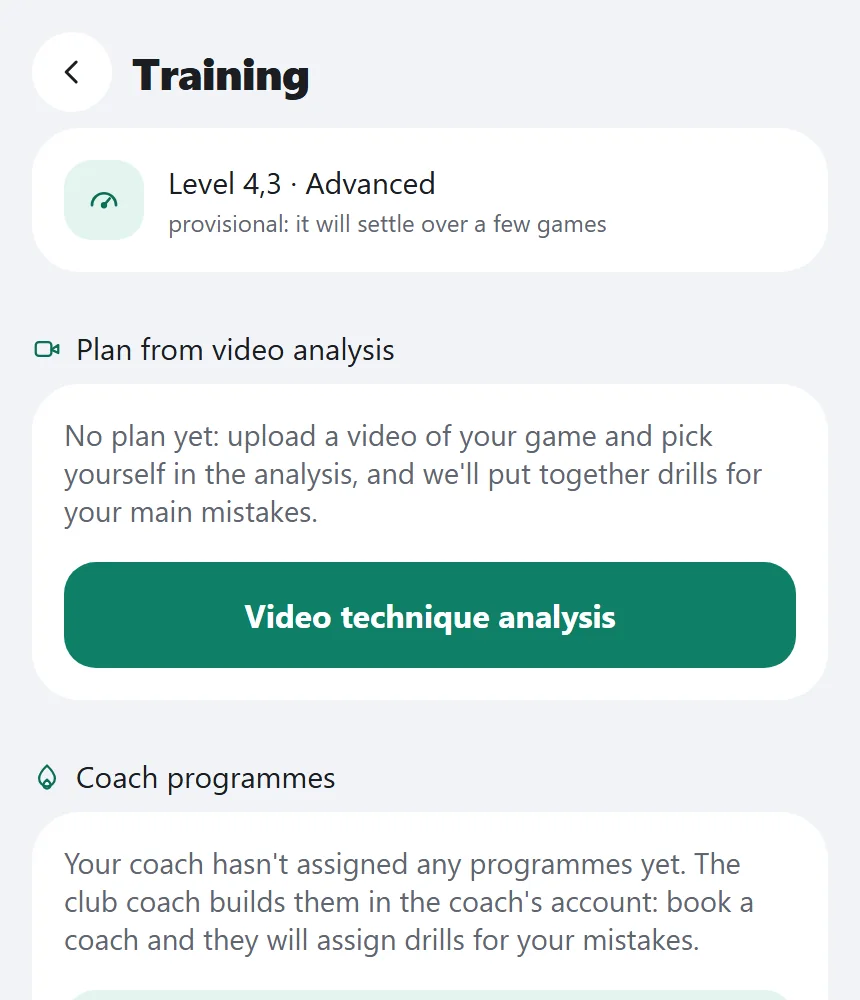
The coach builds a programme from the club's exercise library or their own; the student ticks off what is done.
- Groups and kids
Groups with a place limit two weeks ahead; junior sections with attendance and a report to parents.
- In play
“Coach in the earpiece” — one short tip between points from what the cameras measured.
- After play
Anticipation training from your matches; the coach checks shot types and labels technique errors.
What you will see
What you will see
Player in the app
Coach marketplace, booking with a coach, programme, groups, earpiece tips, anticipation training.
Parent
The child's attendance and the coach's report.
Coach
No separate app: in the player app, Club role → Coach — schedule, students, programmes; in the cloud admin — Match reviews; shot and technique labeling — inside the club network; point corrections on the terminal with a PIN.
Club in the admin panel
Coaches, Groups, Kids and sections, Technique rules.
In detail
Coaching
Booking a court with a coach
The player picks a coach and a time — court and coach are booked together. The lesson appears in the coach's schedule and that time cannot be booked twice.
Coach marketplace
The club coaches with a description and schedule — choose one and book right in the app.
Training programme
The coach builds a programme from the club's exercise library or their own exercises and assigns it to a student, who marks what is done.
Group classes
Groups with a seat limit: the player sees classes two weeks ahead and signs up; the court is closed for bookings during the group.
Kids: sections and parent report
Sections, attendance and the coach's report — the parent sees them in the app.
Coach in your earphone
During play — one short tip between points based on what the cameras measured: a gap between partners, a hole in the middle, a run of opponent points. It plays through the phone and earphone over the club network.
Anticipation training
Tasks from your own matches: the video of an opponent's shot stops before contact and the player guesses the direction. The share of correct guesses and decision time are measured.
Coach vs. system: correcting a point
If a point is disputed, the coach corrects it on the court terminal with a personal PIN. Every correction is logged with its author and time.
Shot review by the coach
On the review page the coach watches shot clips and confirms or corrects the shot type with one key — this makes shot statistics more accurate.
Technique error labelling
The coach marks technique errors on shot clips, and the club's error model learns from these marks.
Limits, honestly
Limits, honestly
- In-game tips only on a smart court with an earpiece, at most once a game and only after a point.
- Tips come from camera measurements (gap between partners, a hole in the middle, the opponent's run of points), not stroke technique.
- The court is closed for booking during a group session.
Who it helps
Who it helps
Players
Book a coach in a minute and see your programme and progress.
Coaches
Schedule, students and camera data in one place.
Parents
Attendance and the coach's report on the phone.
API
API
The same data in your systems through the open API.
POST /v1/coach/slots # open time slots for lessons
GET /v1/kids # children of the parent and their sections
Questions and answers
Questions and answers
Does the earpiece coach disturb play?
No: one short tip at most once a game and only after a point.
Can a disputed point be corrected?
Yes, the coach corrects it on the terminal with a PIN; it is logged.
What does a parent see?
The child's attendance and the coach's report in the app.
How do I book a coach?
In the club's coach marketplace: pick a coach and time — the court is booked with them.
What is anticipation training?
A video of an opponent's shot from your matches stops before contact — guess the direction.
Who builds the programme?
The coach — from the club's exercise library or their own.
How many places in a group?
The club sets the limit; booking two weeks ahead.
Does the coach help statistics accuracy?
Yes, they confirm or correct shot types and label technique errors.
More features
AI coach
A few minutes after the match the player gets a “Match review ready” notification: what worked, what did not…
Technique analysis
A player uploads a video of their game from the phone and gets a review: shots, court movement, technique…
Court booking and club CRM
Players see free time on the club's courts and book in the app in a minute — with the price, court choice and…
Want this court in your club?
We'll show it live and size it for your club.